Refresh
Submitting Designs Help
What is the purpose of linking designs?
A linked design just allows submissions to be grouped for the customer and to be all be present on a handover page once a customer selects one of those designs as the winning submission. Linking simply saves you and the customer time later on when they are interested in purchasing a design from you but wants to get access to some variations and revisions.
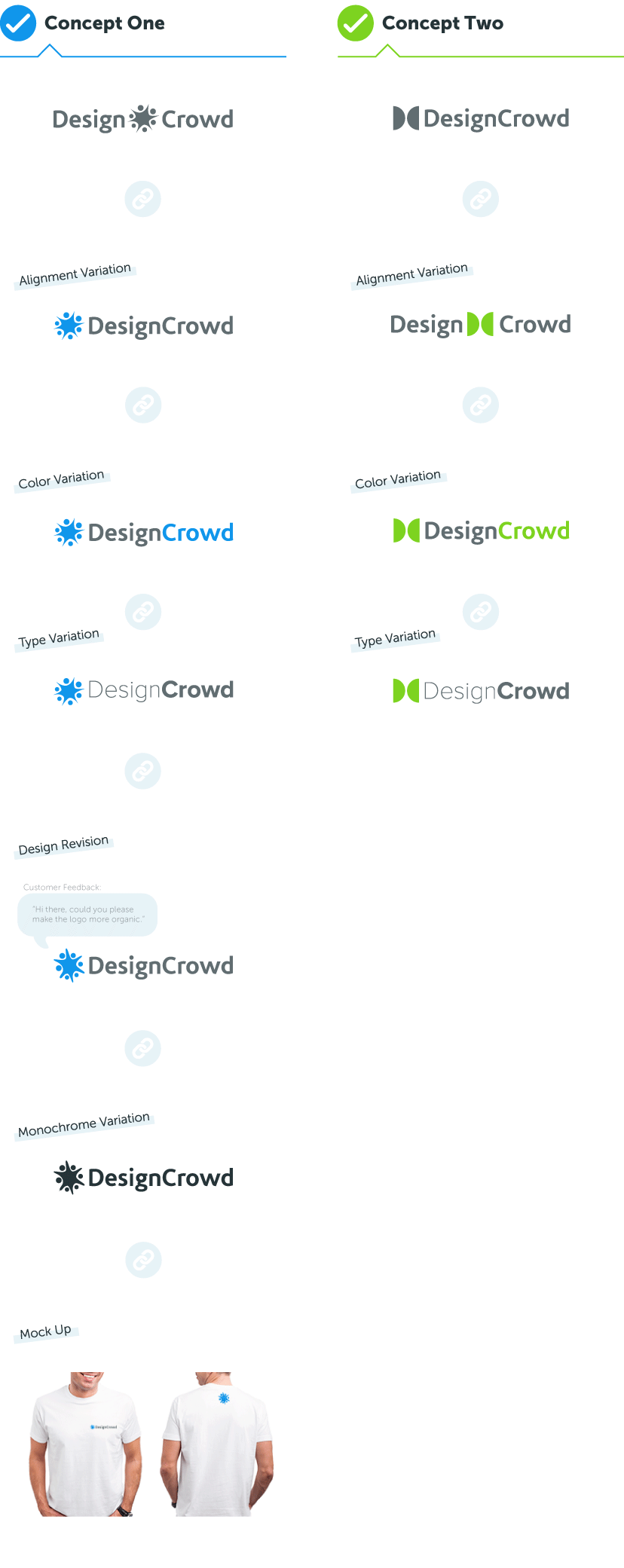
Examples of when to link
- Color variations
- Different fonts used between logos
- Changes in positioning of logo text etc.
- Design revisions (changes or improvements made to a design)
- Black and white / monochrome version of logo
Linking is also useful when you want to submit a rendered view of a logo. That is, if you have produced a logo and would like to show what it looks like on the side of a mug, car or t-shirt etc. These should be submitted as linked designs.
How to link designs
You are able to link designs via your designer My Profile page (next to each design under the submissions tab) or from the Submit Source Files page for the design you want to link to.
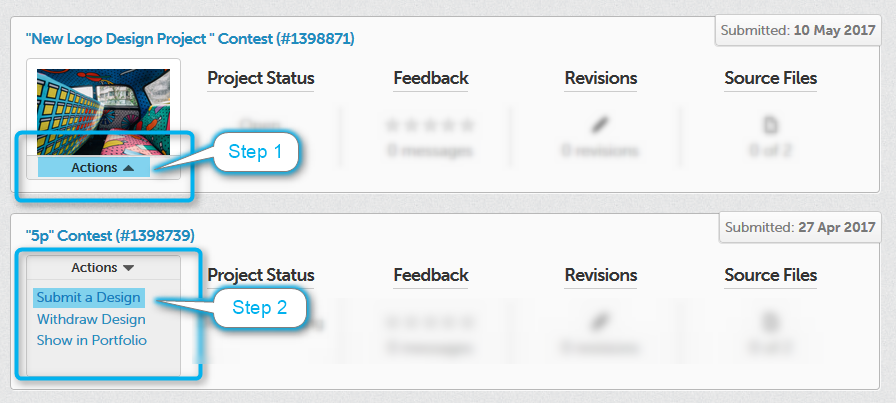
Linking for web design and brochure projects
Linking designs is highly useful and recommended for projects such as web and brochure designs, where you should submit each page of your design as a separate linked submission. That way, when the customer purchases one page, they get access to all of them (as intended).
Linking is not mandatory and does not restrict you from submitting more/different designs that are not linked. If you have a design which is conceptually original from any previous ones, you don't need to link them.
Infographic: When to link designs
For step by step instructions for how to link design submissions, see this blog post: Guide to linking design submissions.