Refresh
User Accounts Help
How do I remove projects from my watchlist?
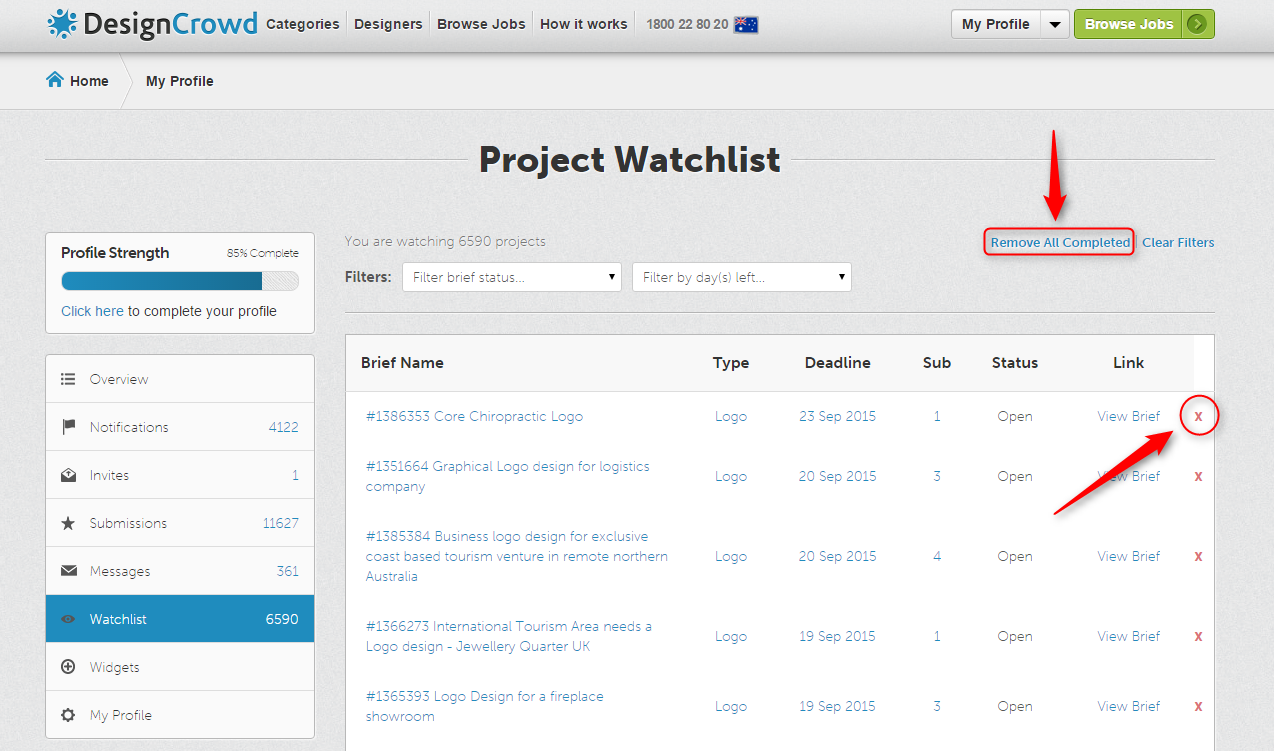
To delete an individual project from your watchlist, simply click on the red "X" icon located next to "View Brief" or "View Results" links in the column called "Link". When you click the X icon the project will immediately be removed from your list.
The screenshot below shows you the location of the X icon and the text link you have to click to bulk remove "closed" projects from your watchlist: